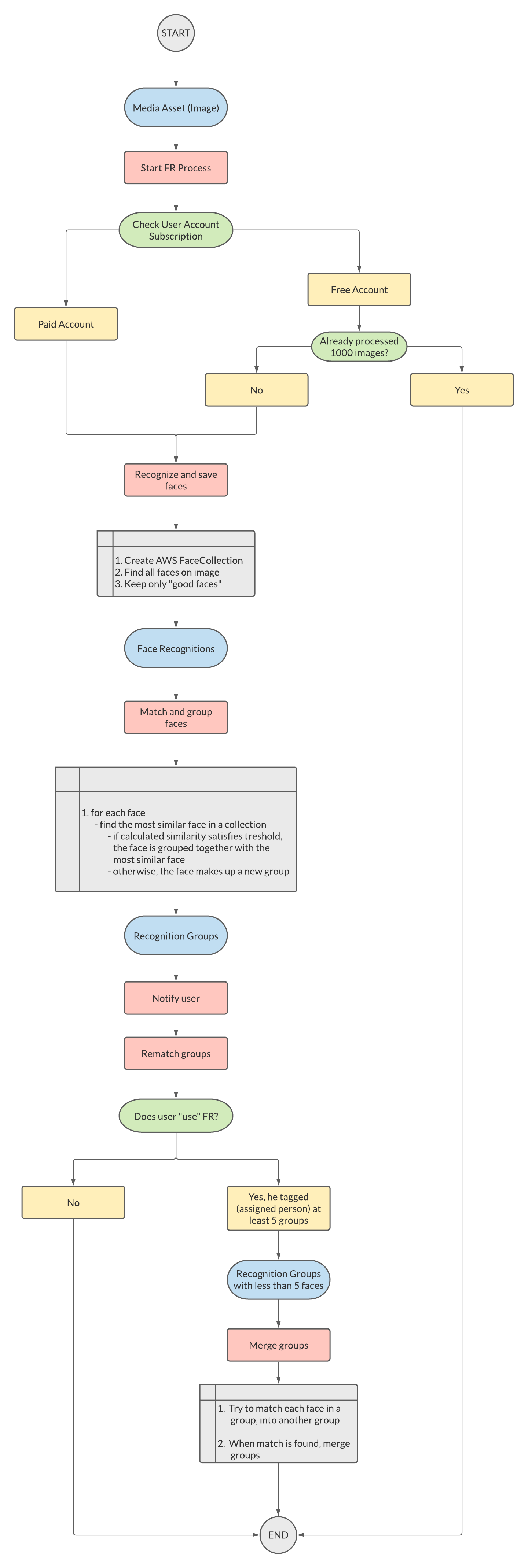
The FR process starts when a client (mobile, desktop, or web application) sends the ID of an image/media asset to the FR API endpoint.
Each user has free 1000 images that will pass through the facial recognition process. Users with a paid subscription, have no limit - all of their images will be processed.
The recognition process starts with finding faces on an image. Each recognized face must fulfill some algorithm conditions, such as sharpness, confidence that the recognized object is a face, face yaw, and brightness. Faces are saved to the face collection so they can be used in further matching processes.
For each recognized face on an image, the algorithm will try to find the most similar face in a collection. If the calculated similarity between the face and the most similar face, satisfies the threshold, the face will be grouped with the most similar face. Otherwise, the face makes up a new group.
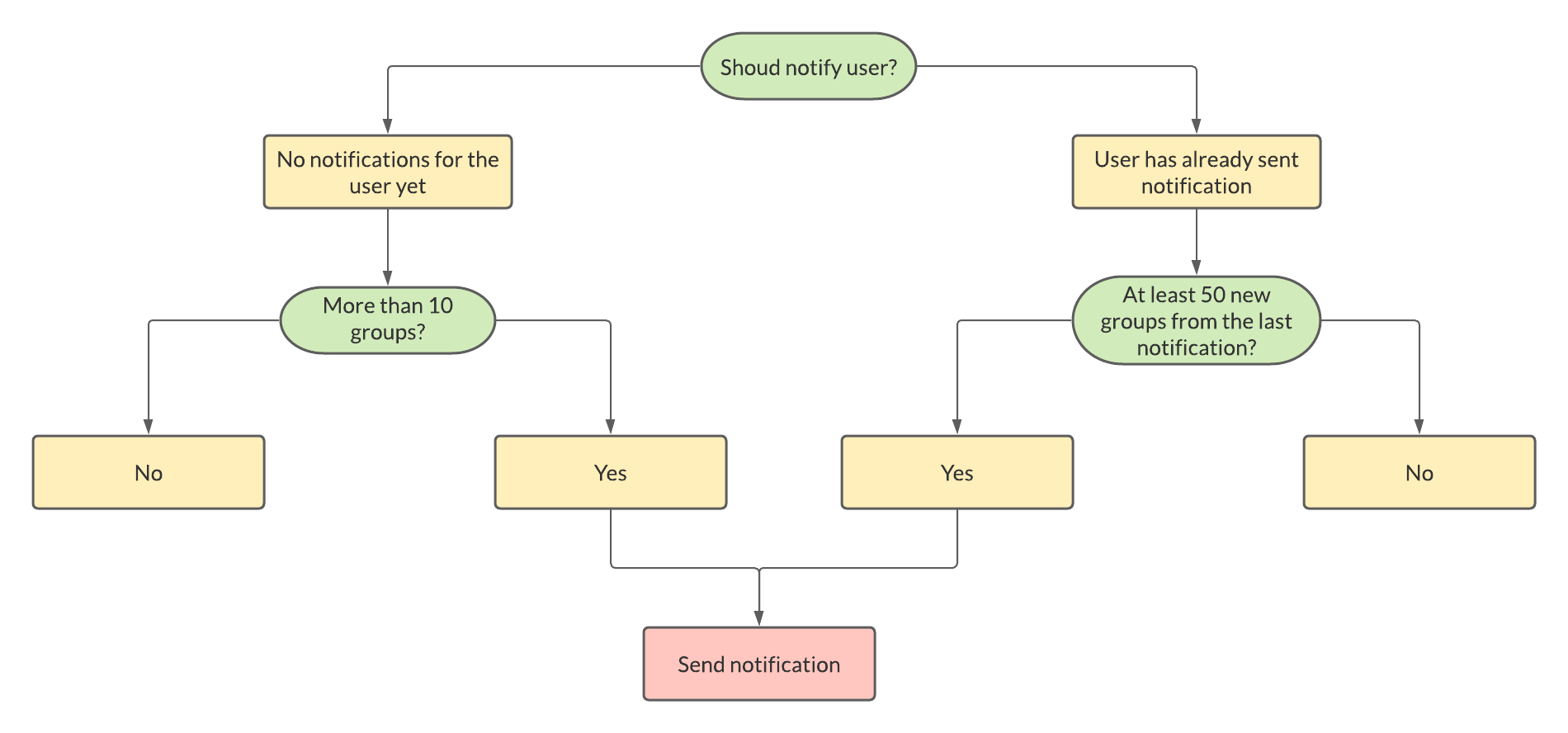
After the face matching process is done, FR API decides about sending a notification to the user. There are two cases when notification is sent:
The next part of the face recognition process is rematching existing groups. Rematching runs only for users who use FR. We say a user uses FR when he tagged (assigned person to a group) at least 5 groups.
The process takes only groups that do not contain more than 5 faces.
How the rematch process works? For each face from a group, the algorithm tries to find similar faces among the other groups. If that face fulfill the matching threshold, current group and the group that contains the most similar face are merged.